Cinema 4D · Blender · After Effects
Working tips
and cheat sheets
Shortcuts, settings and tricks for Cinema 4D, Blender and After Effects. Find it fast — use it right away.

Blender After Cinema 4D, Part 1: Settings, Interface and Modeling
A cheat sheet for switching from Cinema 4D to Blender: first settings on a Mac, the interface, shortcuts and modeling — what things are called and where to find them.

Blender After Cinema 4D, Part 2: Generators, MoGraph, Simulations and Animation
Cinema 4D generators, MoGraph, deformers, tags, simulations and animation — and their Blender equivalents: modifiers, Geometry Nodes, Constraints, Physics.

Blender After Cinema 4D, Part 3: Camera, Lighting, Materials and Rendering
The camera, lighting, Redshift materials and rendering in Cinema 4D — and how to do the same in Blender and Cycles: Principled BSDF, HDRI, AOVs for After Effects.

HDRI in Blender: How to Add It, Rotate It and Avoid a Gray Background
Step by step: add an HDRI in Blender, rotate the map, use it as a background only and fix a flat gray background.

A Month in Blender: First Impressions After Cinema 4D
A month in Blender through the eyes of a studio that works in Cinema 4D: what we liked right away, what took some getting used to and why we’re sticking with it.

Blender Cheat Sheet
A Blender knowledge base for macOS: handy tricks, quick fixes and cheat sheets for every tool, from modeling to the final render. Your guide to working efficiently in 3D on a MacBook.
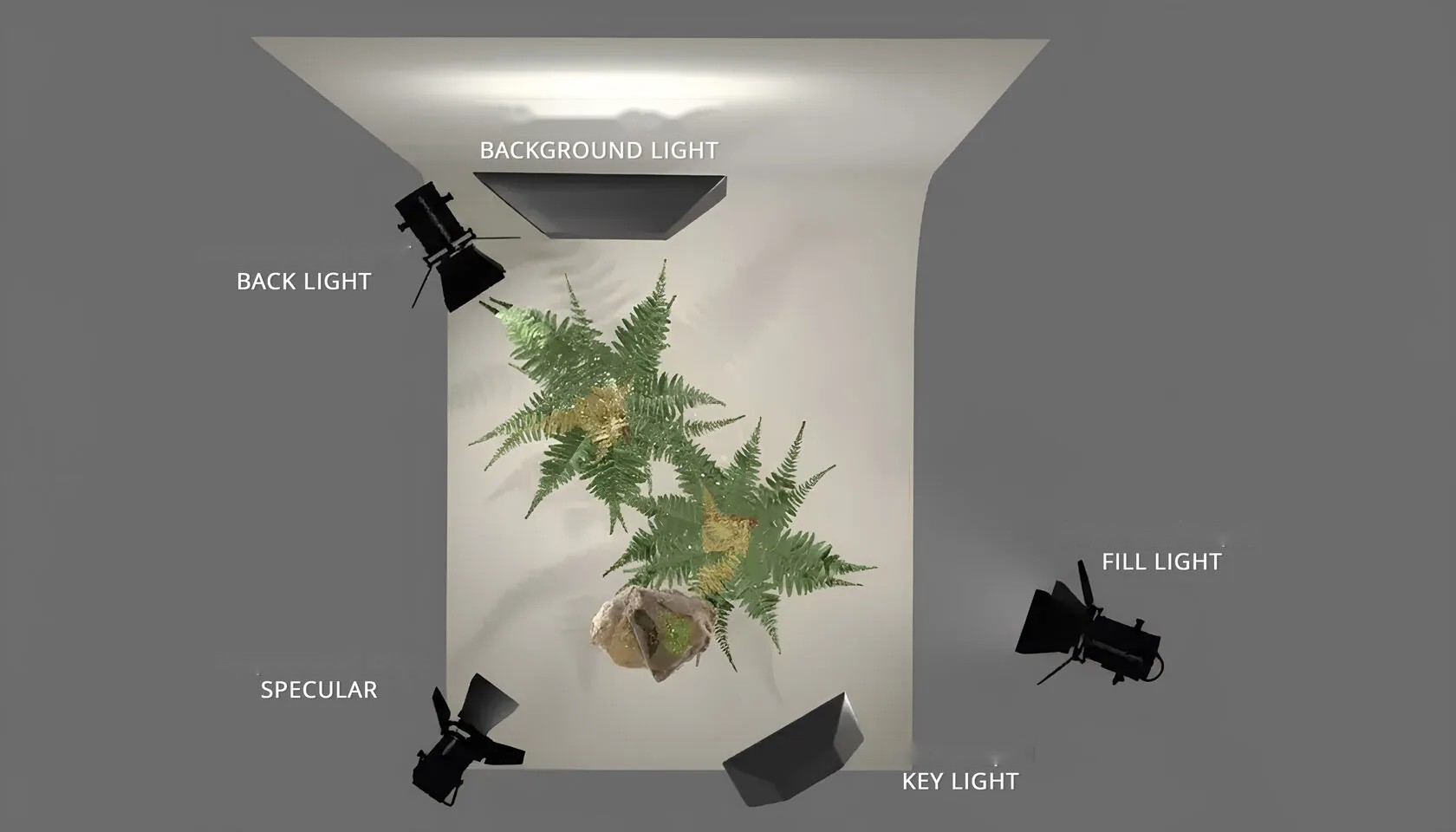
The Basic Five-Point Lighting Setup
The right balance of light sets the mood, depth and realism of a shot. We break down a complete lighting setup in Cinema 4D + Redshift and show how to distribute brightness between the lights so the lighting “breathes” and doesn’t look flat.

Default Light in Cinema 4D and How to Turn It Off in Redshift
Cinema 4D turns on a default light automatically when there are no light sources in the scene. It’s there for convenience, but in Redshift renders it adds unwanted extra light.

All RS Standard Material Parameters in Redshift: A Detailed Breakdown for 3D Artists
A detailed description of every Redshift Standard Material parameter. We go through how each block works: Base, Reflection, Transmission, SSS, Coating and Emission. Understanding these settings will help you create photorealistic materials in Cinema 4D with Redshift.

How to Smoothly Slow Down Video in After Effects Without Stutter — Time Remapping and Pixel Motion
A step-by-step guide to slowing down and stretching video in After Effects with Time Remapping and Pixel Motion. Learn how to avoid stutter and keep the motion smooth.

BLUR & SHARPEN in After Effects: How to Control Focus and Sharpness in Video
We break down the BLUR & SHARPEN effects in After Effects: when to use blur, how to control sharpness, where it fits and how to avoid artifacts.

Depth Blur and Fog with Z-Depth: Integrating CINEMA 4D and After Effects
Using a Z-Depth pass to create blur and fog at the compositing stage.

Cloth Tag in Cinema 4D: A Complete Guide to Its Parameters and Settings
The Cloth Tag in Cinema 4D is a dedicated tool for simulating how fabric behaves in a 3D scene.
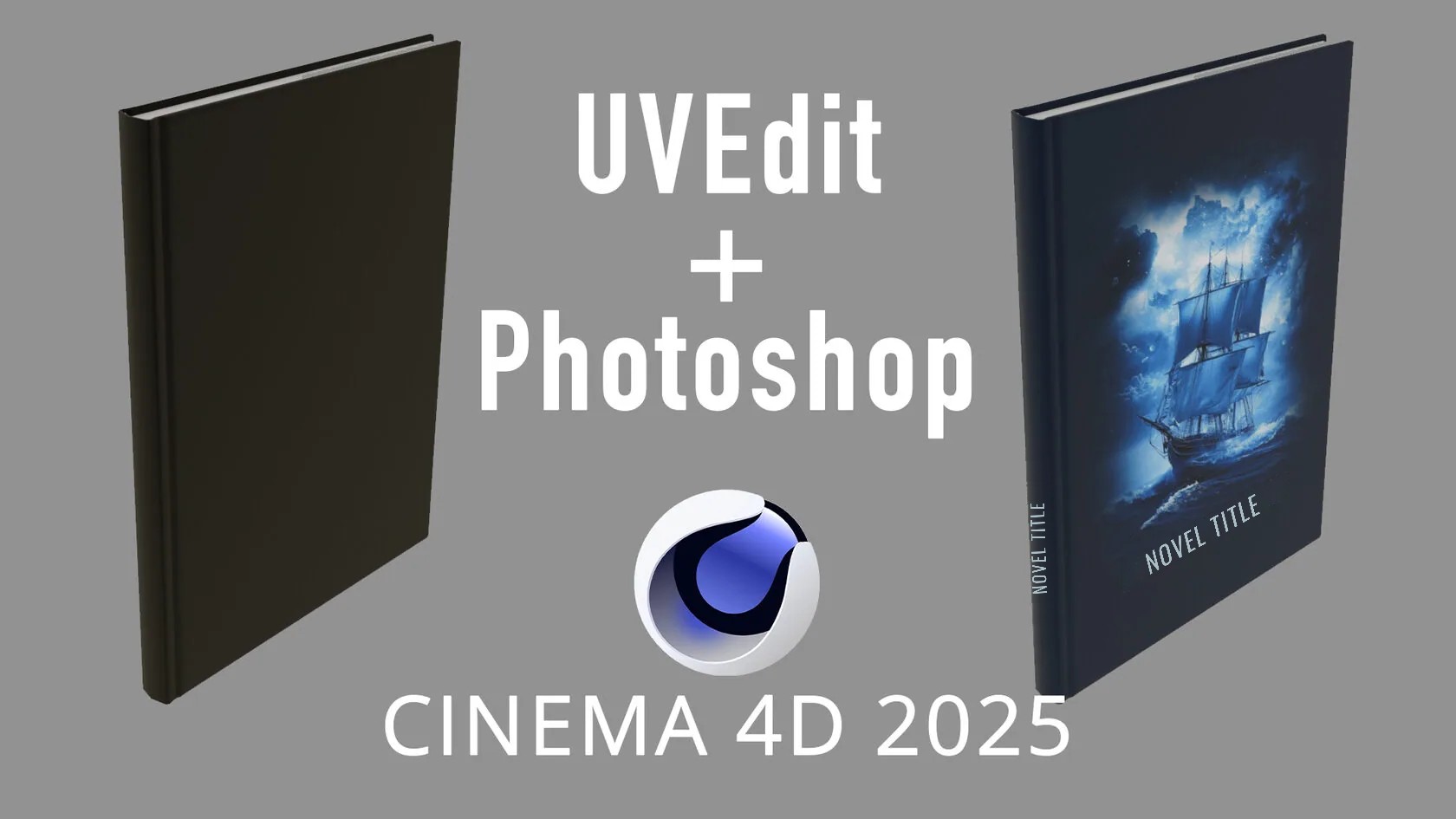
Tutorial: How to Create a Material Texture in Photoshop for CINEMA 4D
UV unwrapping is the process of “unfolding” a 3D model into 2D space so that you can paint a texture in a program such as Photoshop and then apply it to the model.

Deformers (the Purple Icons) in Cinema 4D: A Complete Guide
A complete guide to Cinema 4D deformers: what each one does and what it’s for.

How to Remove Unwanted Objects from Video in After Effects
Removing unwanted objects from video with Content-Aware Fill in After Effects.
Stages of Creating an Animated Video
Creating an animated video is a multi-stage process, and each key stage matters for a high-quality result. Here is the sequence of steps for making an animation.

Cinema 4D Cheat Sheet
Shortcuts, modeling, generators, deformers, MoGraph, effectors, simulations, tags, integrating 3D into real footage, timeline, rendering, AOVs.